
RoadShopDocsStore

For RoadPhone-Pro and RoadVR

Custom Apps

Write a web page in your own resource. RoadPhone-Pro opens it from the phone's home screen, RoadVR opens it in a window in the room — and your own Lua stays behind it.

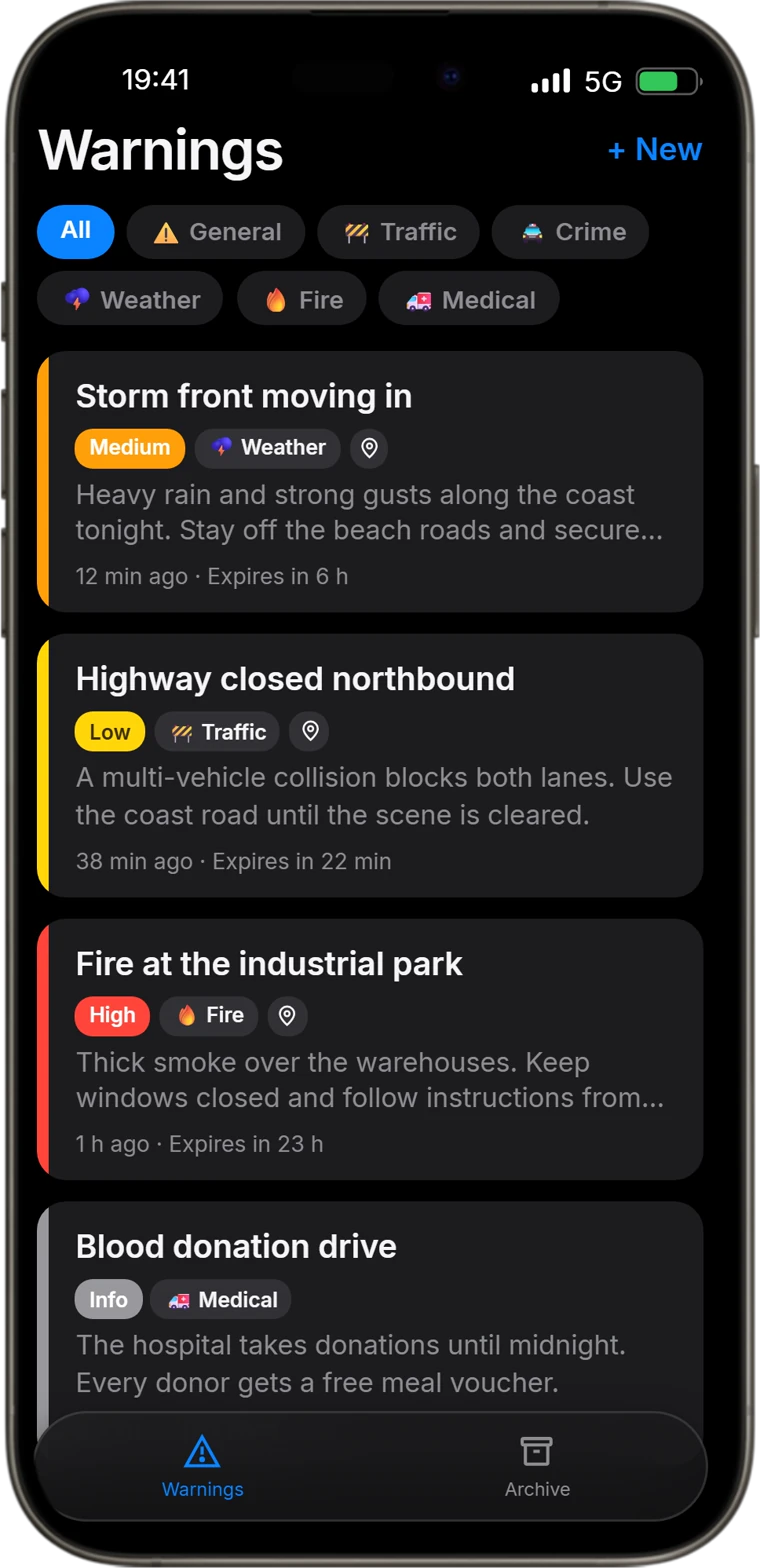
The Warn App on RoadPhone-Pro, listing four active warnings with category filters

RoadPhone-Pro

RoadVR’s example app in its window, showing data from its own resource and from the headset

RoadVR

How it works

One way to build. Two places to open.

A custom app is not compiled into the phone or the headset. It is a page your own resource serves, loaded into a frame — so you build it with what you already know, and your data stays in your own Lua.

RoadPhone-Pro

On the home screen

  • An entry in the AppStore list of config.json
  • window.parent.roadphone — API v1.3.0
  • Server calls through the customAppRpc bridge
  • App Shop installs and job gating

On both

  • HTML, CSS and JavaScript — plain, or with a framework
  • Served from https://cfx-nui-<resource>/ and listed in files {}
  • No ui_page — the host draws the frame
  • Your server logic in your own Lua

RoadVR

In a window in the room

  • exports.roadvr:registerRoadVrApp from your Lua
  • The RoadVr SDK, served by RoadVR
  • fetch to your NUI callbacks, sendToRoadVrApp back
  • Windows sized in metres, widgets in walls

Two APIs, not one. The page itself carries over; the calls into the phone or the headset are each platform's own.

RoadPhone-Pro

From a resource to the home screen.

Five steps, each one real code from the documentation or from a resource that ships beside RoadPhone — and what it puts on the phone.

01 / 05

Serve a page

A custom app is an ordinary resource. List the page under files {} and it is served at https://cfx-nui-<resource>/. Leave ui_page out — with one, the app renders fullscreen instead of inside the phone.
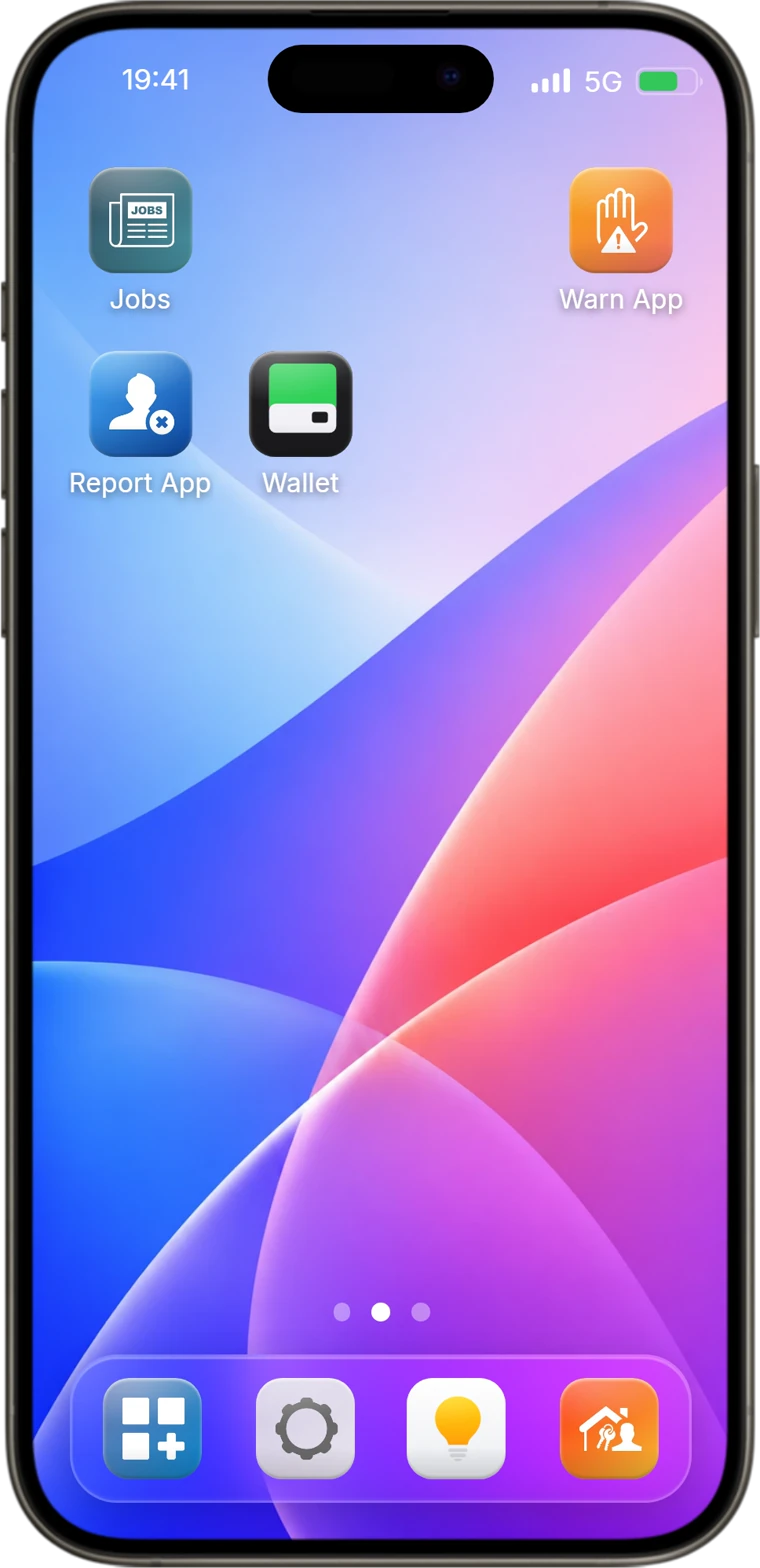
RoadPhone-Pro home screen with the Warn App and Report App icons on it
fxmanifest.lua
fx_version 'cerulean'
game 'gta5'

-- IMPORTANT: Do NOT use ui_page!
-- The HTML is loaded inside RoadPhone's iframe, not as a standalone NUI.
files {
    'html/index.html'
}

client_scripts { 'client/client.lua' }
server_scripts { 'server/server.lua' }
02 / 05

Give it an icon

One entry in the AppStore list of RoadPhone's config.json, with its own custom_app_id. default true puts it on every phone, false lists it in the App Shop. allowJobs and disallowJobs decide who may open it.

The Warn App on RoadPhone-Pro, listing four active warnings with category filters
config.json
{
  "name": "Warn App",
  "light_icon": "/public/img/Apps/light_mode/warn.webp",
  "dark_icon": "/public/img/Apps/dark_mode/warn.webp",
  "default": true,
  "category": "apps",
  "custom_app_id": "WARNAPP",
  "redirect": "custom_app",
  "url": "https://cfx-nui-roadphone-custom-app-warn/html/index.html",
  "darkmode": true,
  "allowJobs": [],
  "disallowJobs": []
}

03 / 05

Talk to the phone

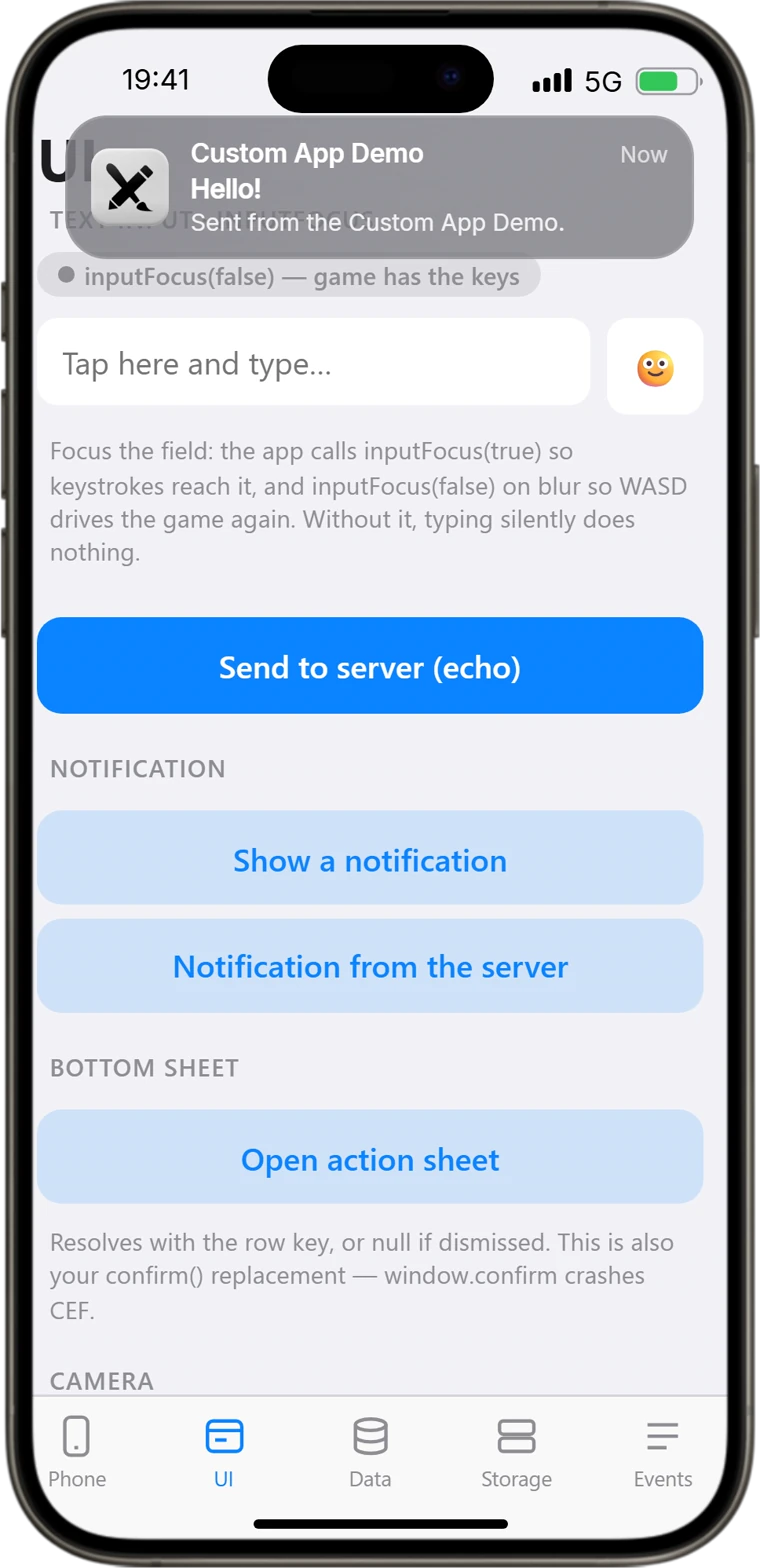
The page runs inside the phone and finds the API on its parent window. Declare a name and a namespace, then use the phone's own notifications, action sheets, camera and emoji picker.

A notification from the Custom App Demo arriving at the top of RoadPhone-Pro
html/js/app.js
// The app runs in an iframe INSIDE the phone, so the API lives on the parent
// window — `window.roadphone` would be undefined here.
const rp = window.parent.roadphone

rp.minVersion('1.3.0')
rp.app.setName('Custom App Demo')
rp.app.setNamespace('customapp-demo')

notify.onclick = () => {
  // appTitle defaults to app.getName() when omitted.
  rp.showNotification({
    title: 'Hello!',
    message: draft || 'Sent from the Custom App Demo.',
  })
}

04 / 05

Ask before you read

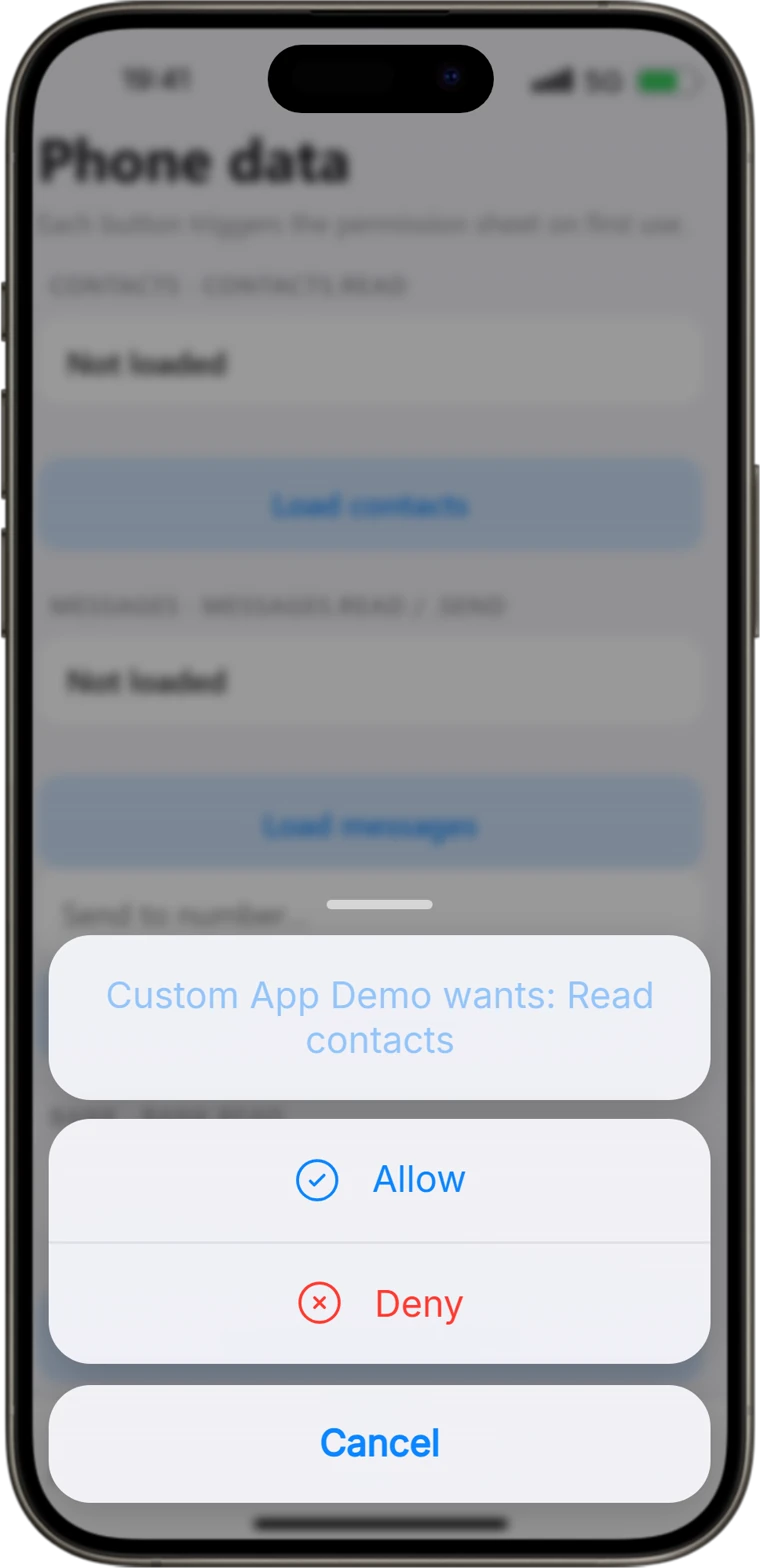
Contacts, messages, bank and alarms sit behind permissions. The first call shows the player the phone's own prompt, and the answer is remembered for that app.

RoadPhone-Pro asking whether the Custom App Demo may read contacts, with Allow and Deny
html/js/app.js
loadContacts.onclick = async () => {
  // The gated call REJECTS if the user denies — hence guard()/try-catch.
  const list = await guard(() => rp.contacts.list())
  if (!list) return
  setContacts(list.length
    ? list.slice(0, 8).map((x) => ({
        label: `${x.firstname || ''} ${x.lastname || ''}`.trim() || '—',
        value: x.number,
      }))
    : [{ label: 'No contacts' }])
  logEvent('contacts.list', list.length + ' entries')
}

05 / 05

Reach your server

roadphone.post('customAppRpc') relays to one server callback per resource — on ESX, QBCore or Qbox — and its reply resolves the call. Every ticket in the Report App arrives exactly this way.

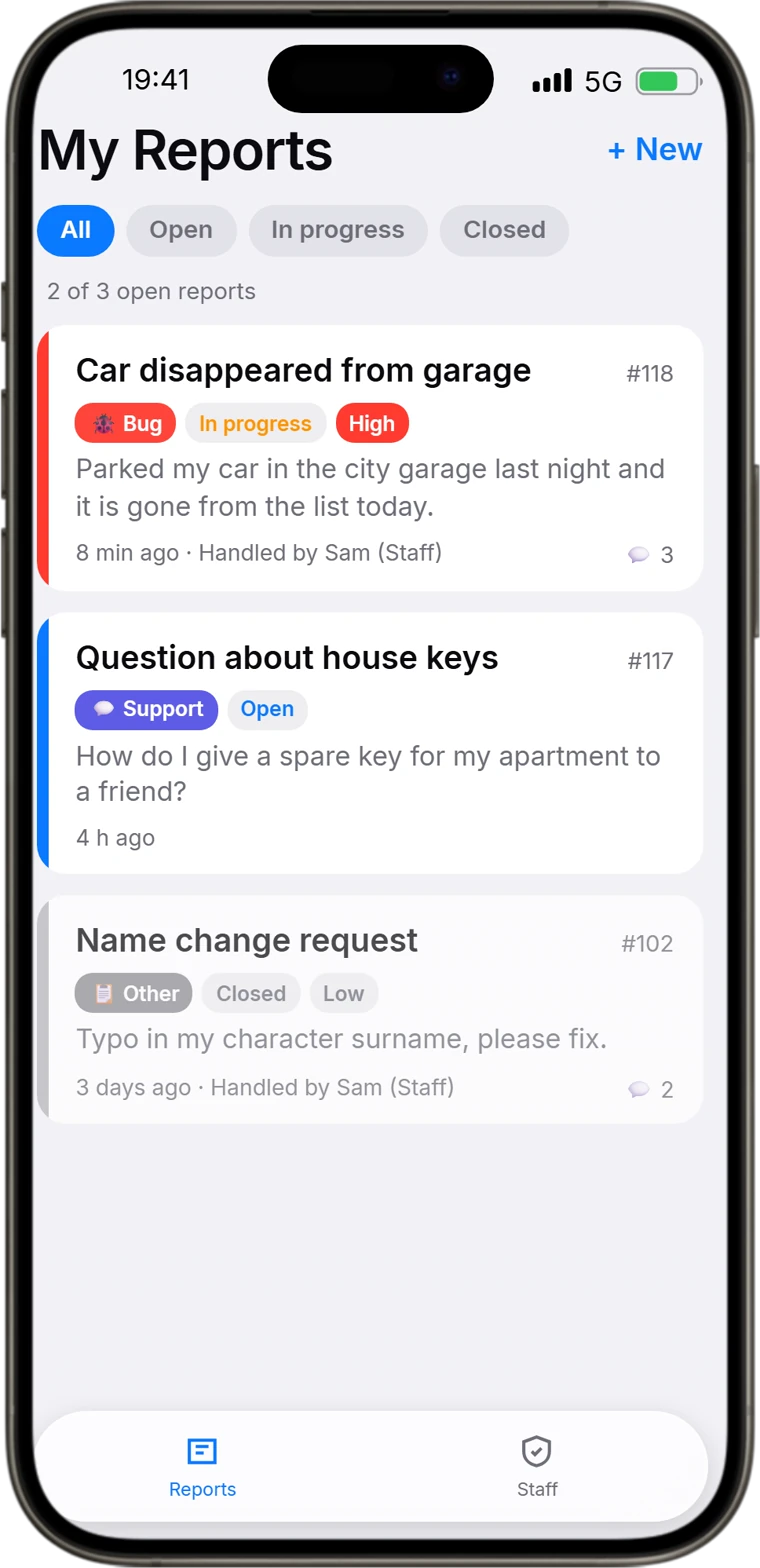
The Report App on RoadPhone-Pro, showing a player’s open, in-progress and closed reports
server/server.lua
Handlers['tickets.mine'] = function(src, player, data, reply)
    if not player then reply({ tickets = {} }) return end
    local rows = dbAll(SELECT .. ' WHERE t.identifier = @id'
        .. ' ORDER BY t.updated_at DESC LIMIT 100',
        { ['@id'] = player.identifier })
    local out = {}
    for _, r in ipairs(rows) do
        out[#out + 1] = serialize(r, false)
    end
    reply({ tickets = out, now = os.time() * 1000 })
end
RoadPhone-Pro home screen with the Warn App and Report App icons on itThe Warn App on RoadPhone-Pro, listing four active warnings with category filtersA notification from the Custom App Demo arriving at the top of RoadPhone-ProRoadPhone-Pro asking whether the Custom App Demo may read contacts, with Allow and DenyThe Report App on RoadPhone-Pro, showing a player’s open, in-progress and closed reports

Captured from RoadPhone's own build, running the Warn App, the Report App and the Custom App Demo unchanged. Warnings and tickets are sample data.

RoadVR

From a Lua call to a window in the room.

Four steps from the example resources that come with RoadVR, and what each one puts in the headset.

01 / 04

Register from Lua

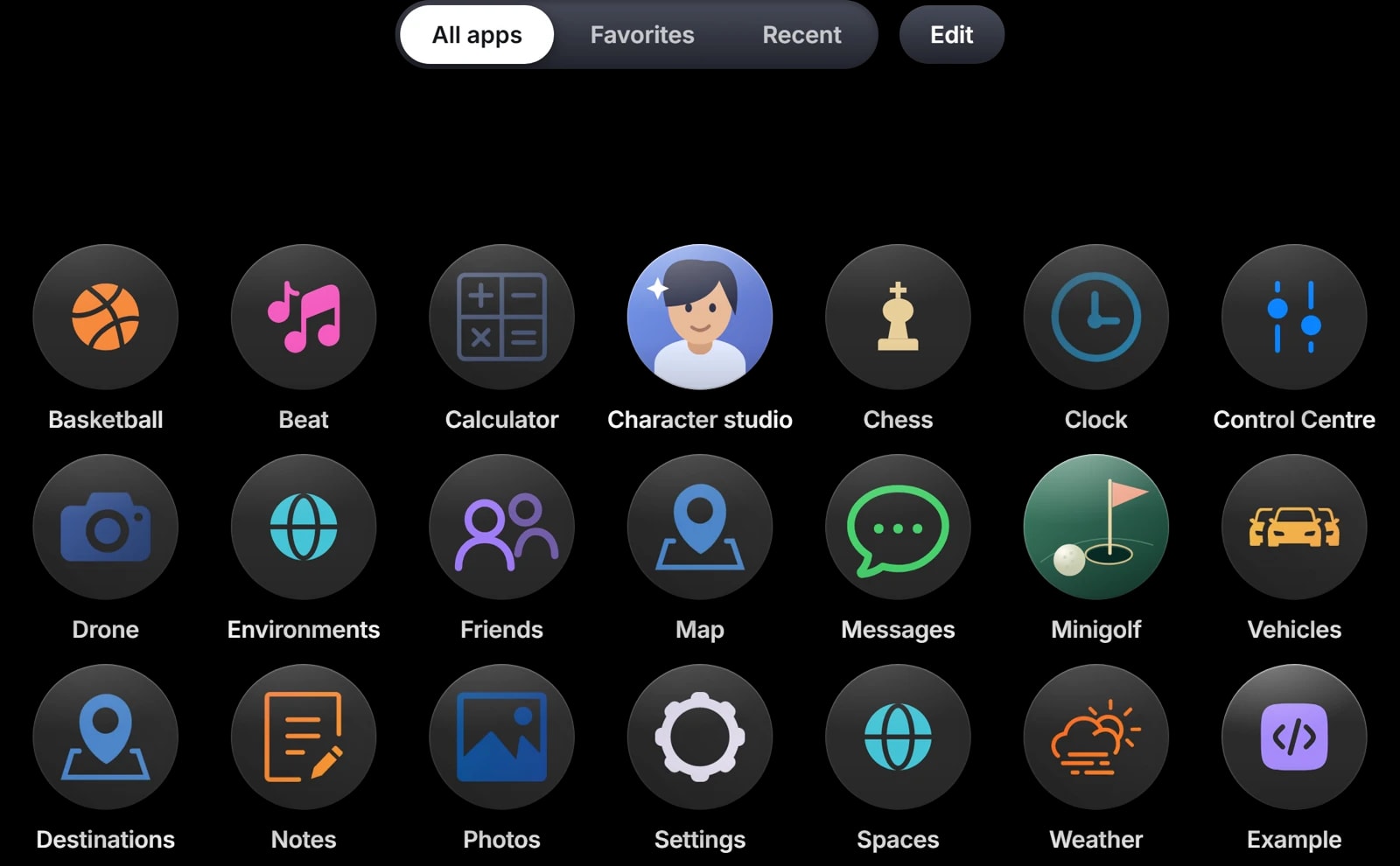
One export call at resource start. Page and icon are files in your resource, and RoadVR builds their address itself, so it cannot point anywhere else. The icon lands on the headset's home screen.

The RoadVR home screen with the Example app’s icon among the built-in apps
client.lua
CreateThread(function()
    Wait(500)

    local ok, err = exports.roadvr:registerRoadVrApp({
        id     = 'exampleapp',
        name   = 'Example',
        page   = 'ui/index.html',
        icon   = { dark = 'ui/icon-dark.svg', light = 'ui/icon-light.svg' },
        size   = { w = 1.1, h = 0.7 },
    })
end)

02 / 04

Open the window

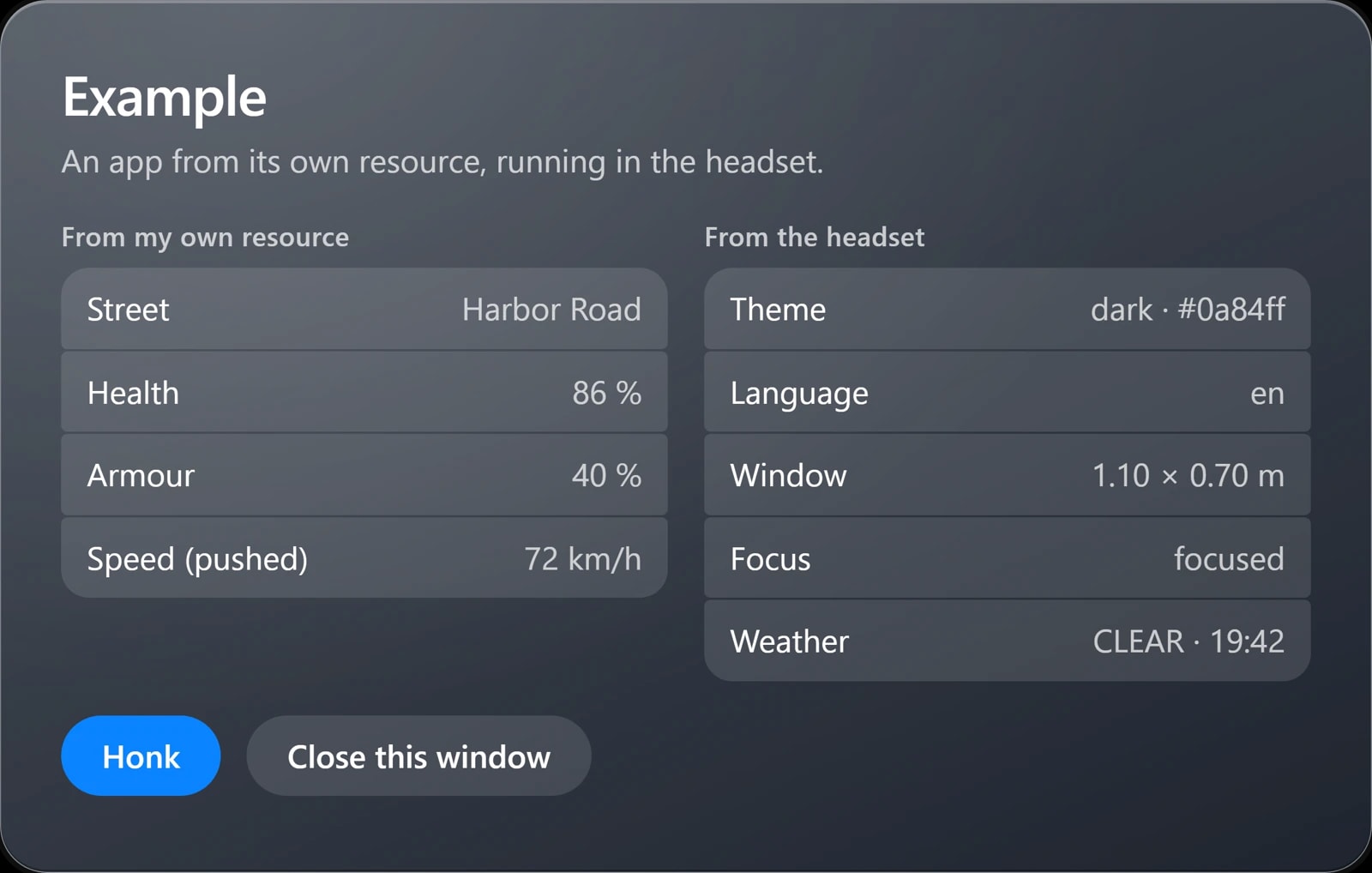
The window lays your page out at 1280 × 800 CSS pixels, however large it stands in the room. The SDK, served by RoadVR, tells the page the theme, the language, its size in metres and whether it has focus.

RoadVR’s example app in its window, showing data from its own resource and from the headset
ui/index.html
<script src="https://cfx-nui-roadvr/public/sdk/roadvr.js"></script>
<script>
  ;(async function () {
    if (!window.RoadVr) return

    const ctx = await RoadVr.ready()
    RoadVr.applyTheme()

    size(ctx.window?.width, ctx.window?.height)
    RoadVr.on('resize', (r) => size(r.width, r.height))
    RoadVr.watch('world')
  })()
</script>

03 / 04

Answer, and push

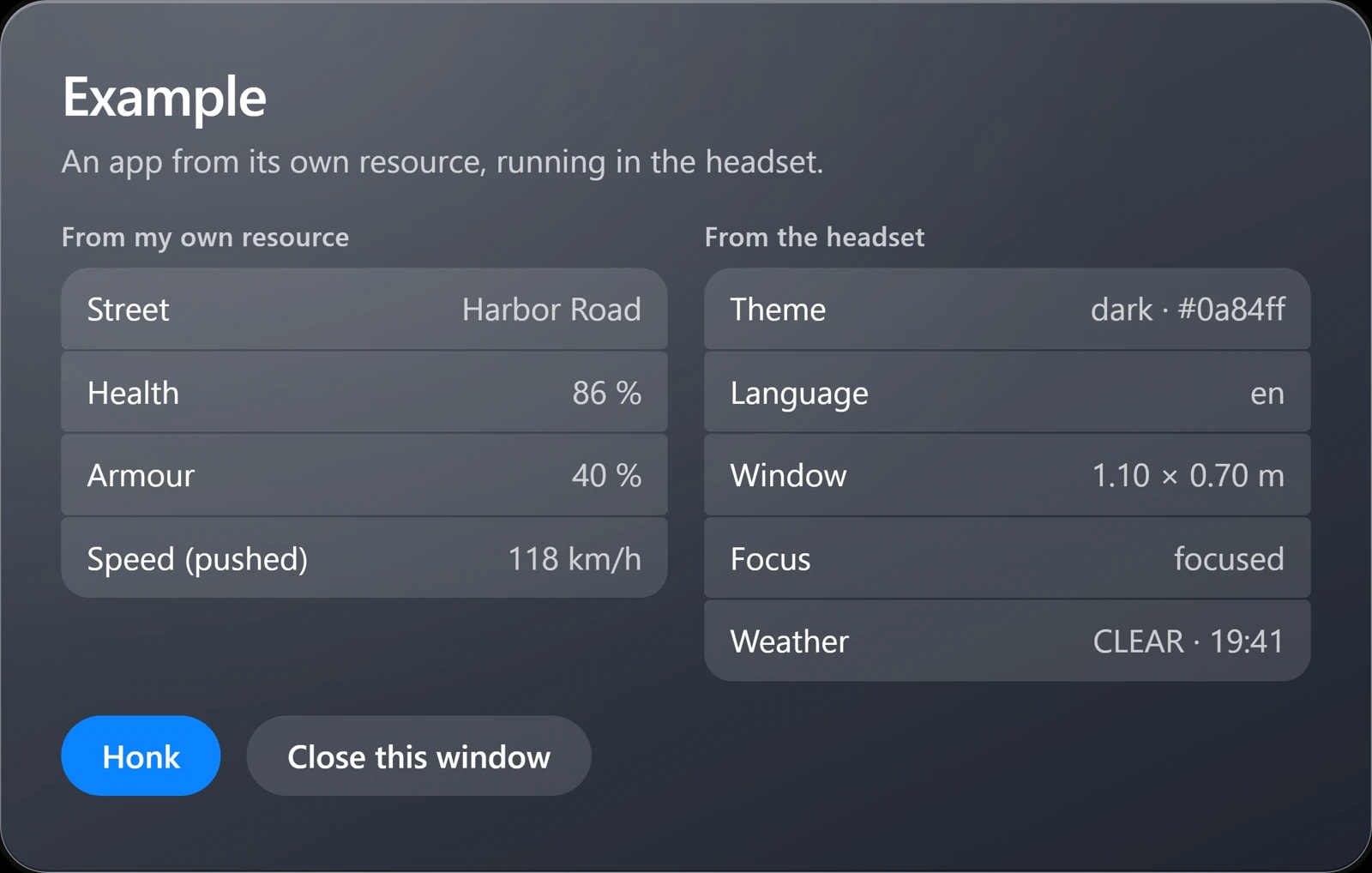
A plain fetch from the page reaches your own RegisterNUICallback. The other way round goes through RoadVR — sendToRoadVrApp arrives in the page as a message, and returns false while the window is closed.

The same RoadVR window after its resource pushed a new speed into it
client.lua
RegisterNUICallback('getPlayerInfo', function(_, cb)
    local ped = PlayerPedId()
    local pos = GetEntityCoords(ped)

    cb({
        street  = GetStreetNameFromHashKey(GetStreetNameAtCoord(pos.x, pos.y, pos.z)),
        health  = GetEntityHealth(ped) - 100,
        armour  = GetPedArmour(ped),
    })
end)

exports.roadvr:sendToRoadVrApp('exampleapp', {
    type  = 'tick',
    speed = math.floor(GetEntitySpeed(PlayerPedId()) * 3.6),
})

04 / 04

Hang it in a wall

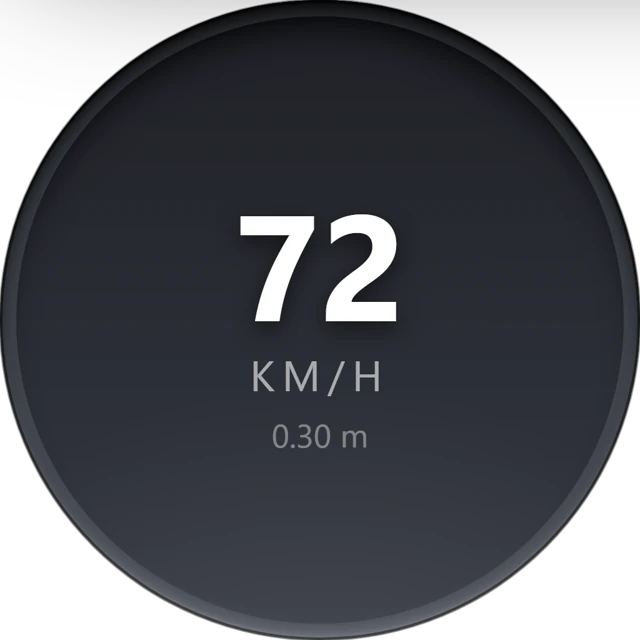
A widget kind registers the same way. Players hang it in the edit mode, it stays in their profile, and one send reaches every piece of that kind that is drawn.

The example Speed widget in a round recess, showing a speed pushed from its resource
client.lua
local KIND = 'examplewidget_speed'

exports.roadvr:registerRoadVrWidget({
    id     = KIND,
    page   = 'ui/widget.html',
    name   = 'Speed',
    icon   = 'ui/icon.svg',
    size   = 0.30,
    aspect = 1.0,
    mount  = 'recess',
    shape  = 'round',
})

exports.roadvr:sendToRoadVrWidget(KIND, { speed = math.floor(speed + 0.5) })
The RoadVR home screen with the Example app’s icon among the built-in appsRoadVR’s example app in its window, showing data from its own resource and from the headsetThe same RoadVR window after its resource pushed a new speed into itThe example Speed widget in a round recess, showing a speed pushed from its resource

Captured from RoadVR's own interface with roadvr_exampleapp and roadvr_examplewidget registered unchanged. Street, health and speed are sample values.

RoadVR widgets

Things that stay on the wall.

A widget is not a small app. It sits flat in a wall, takes no clicks outside the edit mode and is saved in the player's profile — something you glance at, fed by your own resource.

widgets per character
12
Yours and RoadVR's together, by default.
per spot
3
Within five metres of each other, by default.
widest a widget grows
4 m
The hard cap on how far a player may scale one.
  • Saved in the player's profile — a widget hung today is still there tomorrow.
  • Stop your resource and its widgets stay where they hang, reading "Widget unavailable". Start it again and they light back up.
  • One message reaches every piece of your kind; each page reads its own id from its address.
  • Beyond the render distance a widget is hidden, but its page keeps running — stop expensive loops yourself.
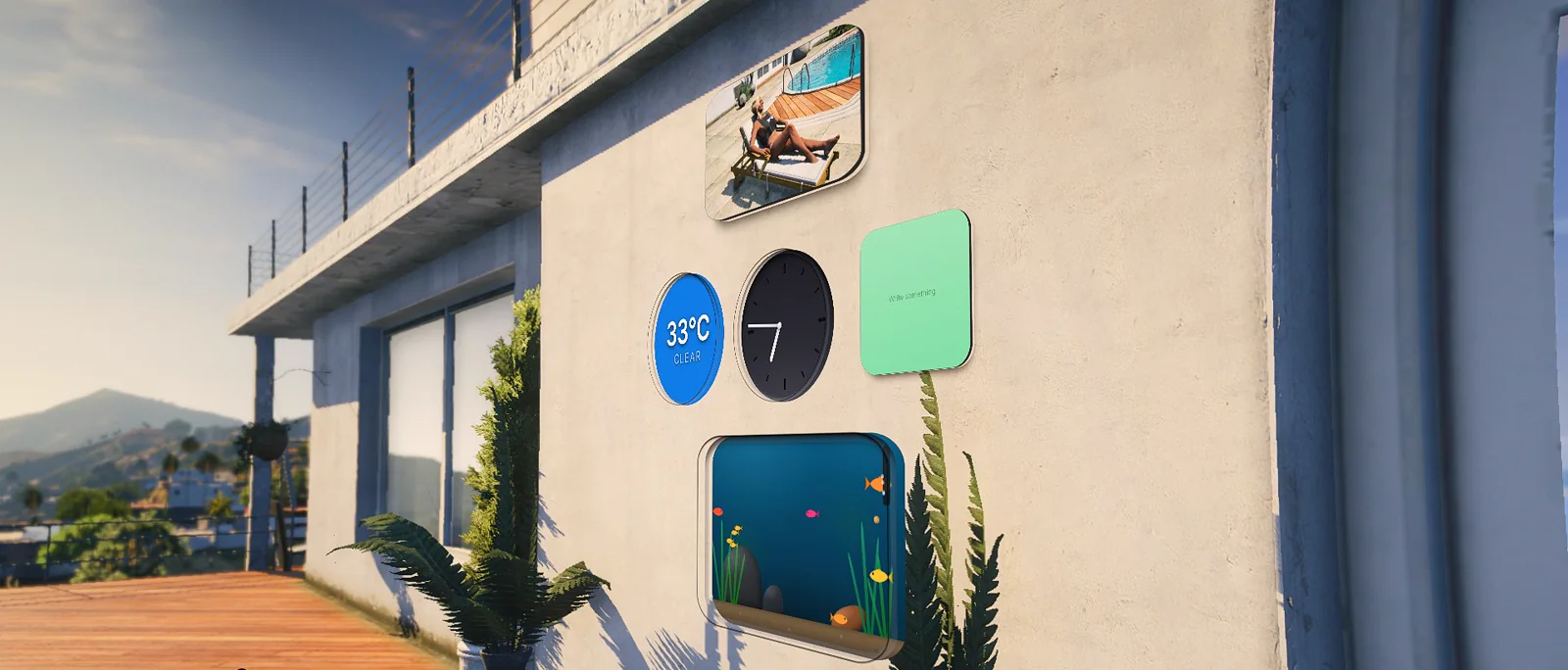
RoadVR’s own widgets on a villa wall in game: a photo, weather, a clock, a note and an aquarium
RoadVR's own widgets on a wall, in game. A kind you register is hung the same way.
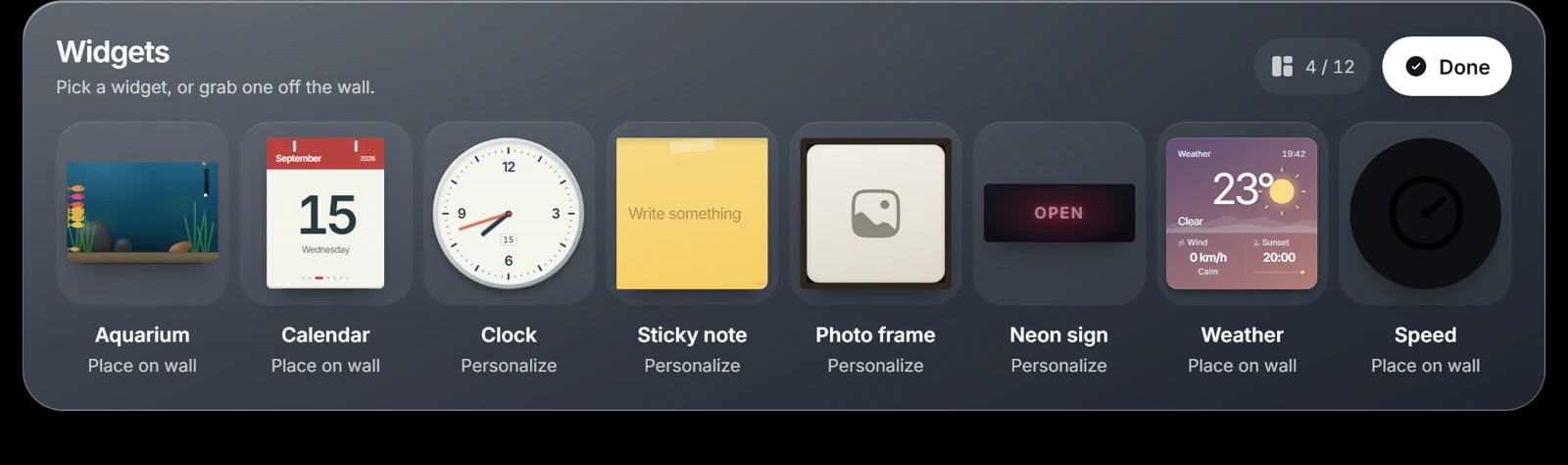
The RoadVR widget bar with the example Speed widget beside the built-in widgets
The widget bar, with the example resource's Speed kind in it.

The API

Everything your page can reach.

The calls a custom app has on each platform, from the documentation. On the phone, reading personal data asks the player first.

window.parent.roadphone

RoadPhone-Pro · API v1.3.0

Phone

  • getPlayerName()string | null
  • getJob()'police'
  • getLanguage()'de_DE'
  • isDarkMode()boolean

Native UI

  • showNotification({ title, message })
  • showBottomSheet({ groups })row key | null
  • takePhoto() · claimPhoto(){ url, isVideo }
  • pickEmoji()emoji | null
  • inputFocus(true)needed for typing

Data — asks first

  • contacts.list()contacts.read
  • messages.send(number, text)messages.send
  • bank.getBalance()bank.read
  • alarms.create({ time, label })alarms.write

Storage

  • storage.set(key, value)this browser
  • storage.metadata.set(key, value)rides on the phone item

Events

  • on('incomingCall', fn){ number, isAnonym }
  • on('notificationReceived', fn){ appTitle, title, message }
  • on('languageChanged', fn)'en_US'

Your server

  • post('customAppRpc', { resource, name, data })your reply

RoadVr

RoadVR · SDK and Lua exports

SDK — in the page

  • RoadVr.ready()theme, locale, window, headset
  • RoadVr.applyTheme()RoadVR's palette on :root
  • RoadVr.on('resize' | 'focus' | 'close', fn)
  • RoadVr.watch('world')weather and clock
  • RoadVr.watch('placement')distance in metres
  • RoadVr.setActions([...])up to three buttons
  • RoadVr.close()

Lua — apps

  • registerRoadVrApp({ id, page, name, icon, size })ok, err
  • sendToRoadVrApp(appId, payload)false while closed
  • openRoadVrPanel(appId)panelId

Lua — widgets

  • registerRoadVrWidget({ id, page, size, aspect, mount })ok, err
  • sendToRoadVrWidget(kindId, payload)every piece
  • getRoadVrWidgetInstances(kindId){ 'w_3', 'w_7' }

Lua — the world

  • addRoadVrMarker({ kind = 'label' | 'arrow' | 'outline' | 'path' })id

Examples

Apps that already run.

Apps you can buy and starting points you can copy, for both platforms — each one a resource of its own.

RoadPhone-Pro5

  • The Report App on RoadPhone-Pro, showing a player’s open, in-progress and closed reports

    Support tickets

    Report AppReport App

    Players file support and bug tickets from the phone; staff accept, prioritise and close them and talk each one through in a conversation.

  • The Warn App on RoadPhone-Pro, listing four active warnings with category filters

    Public warnings

    Warn AppWarn App

    Emergency services post warnings with a category, a severity and an optional radius on the map. Every player is notified and sees them in the app.

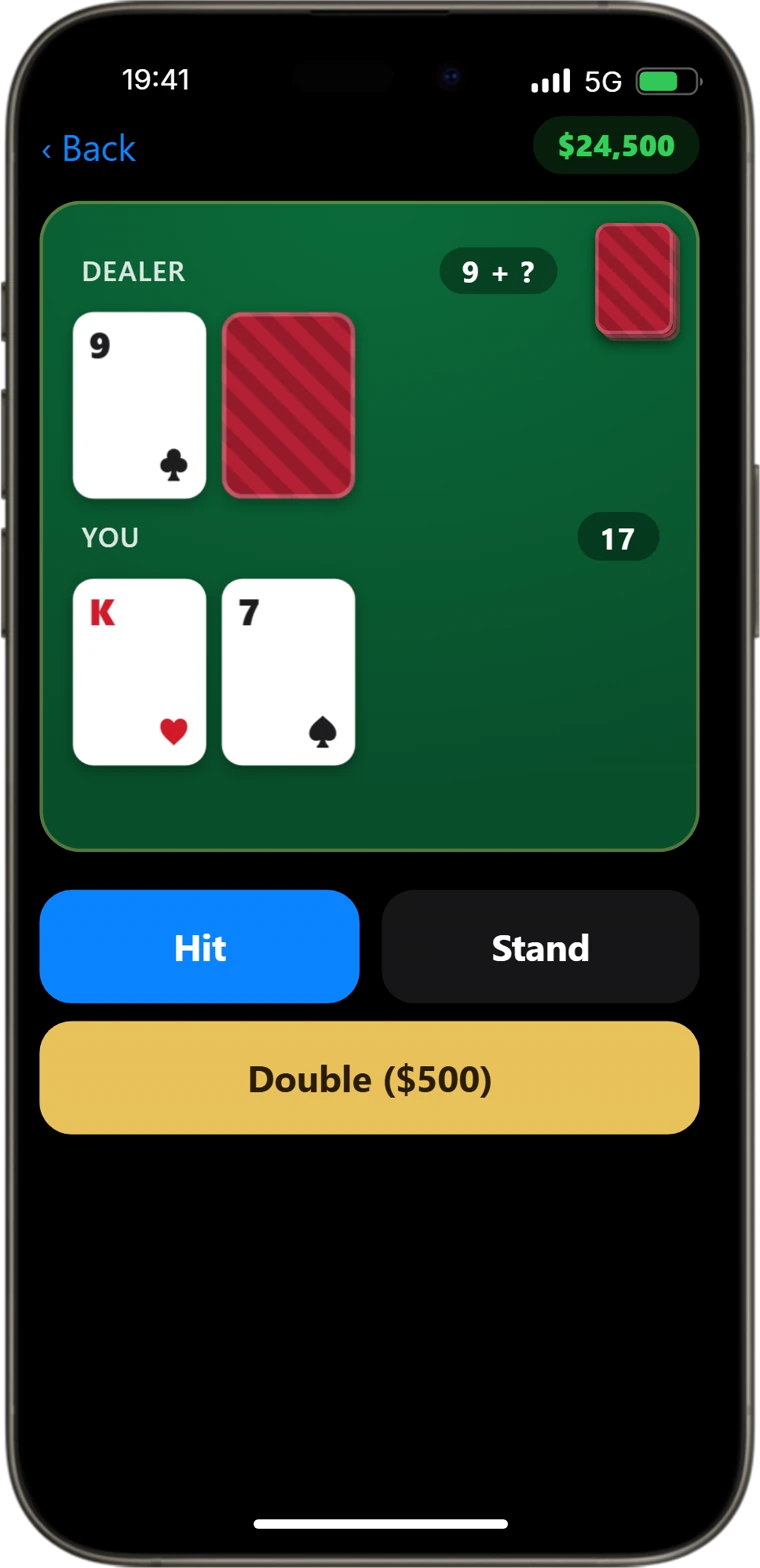
  • A hand of blackjack in the Casino App on RoadPhone-Pro, with Hit, Stand and Double

    Minigames

    Casino App

    Blackjack and European roulette on the phone, played with in-game money, with every hand and spin decided on the server.

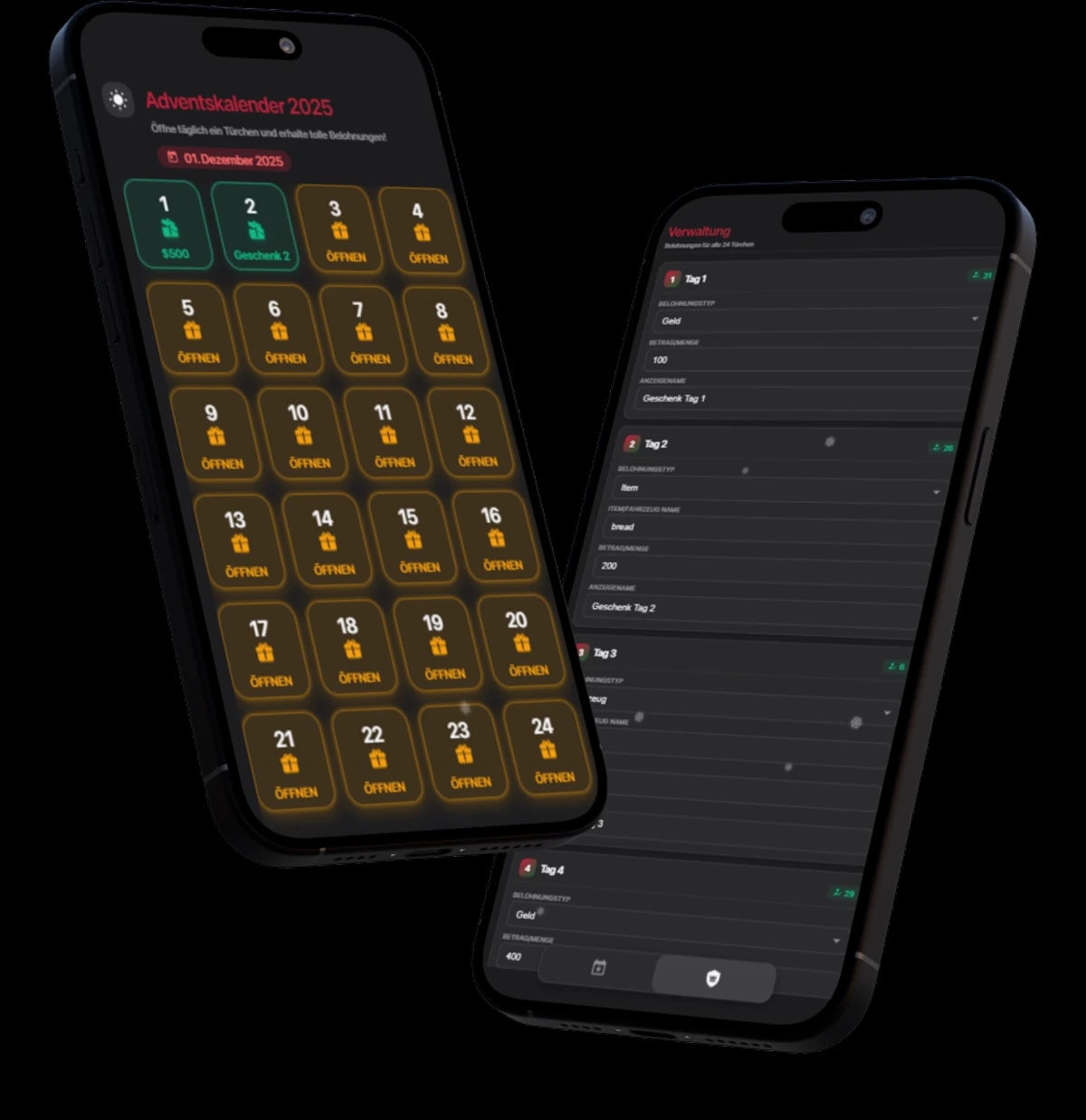
  • The Advent Calendar custom app on two phones: the calendar doors and its admin panel

    Seasonal

    Advent CalendarAdvent Calendar

    A door a day between the dates you set, a reward behind each one, an admin panel for the prizes and a Discord log of every door opened.

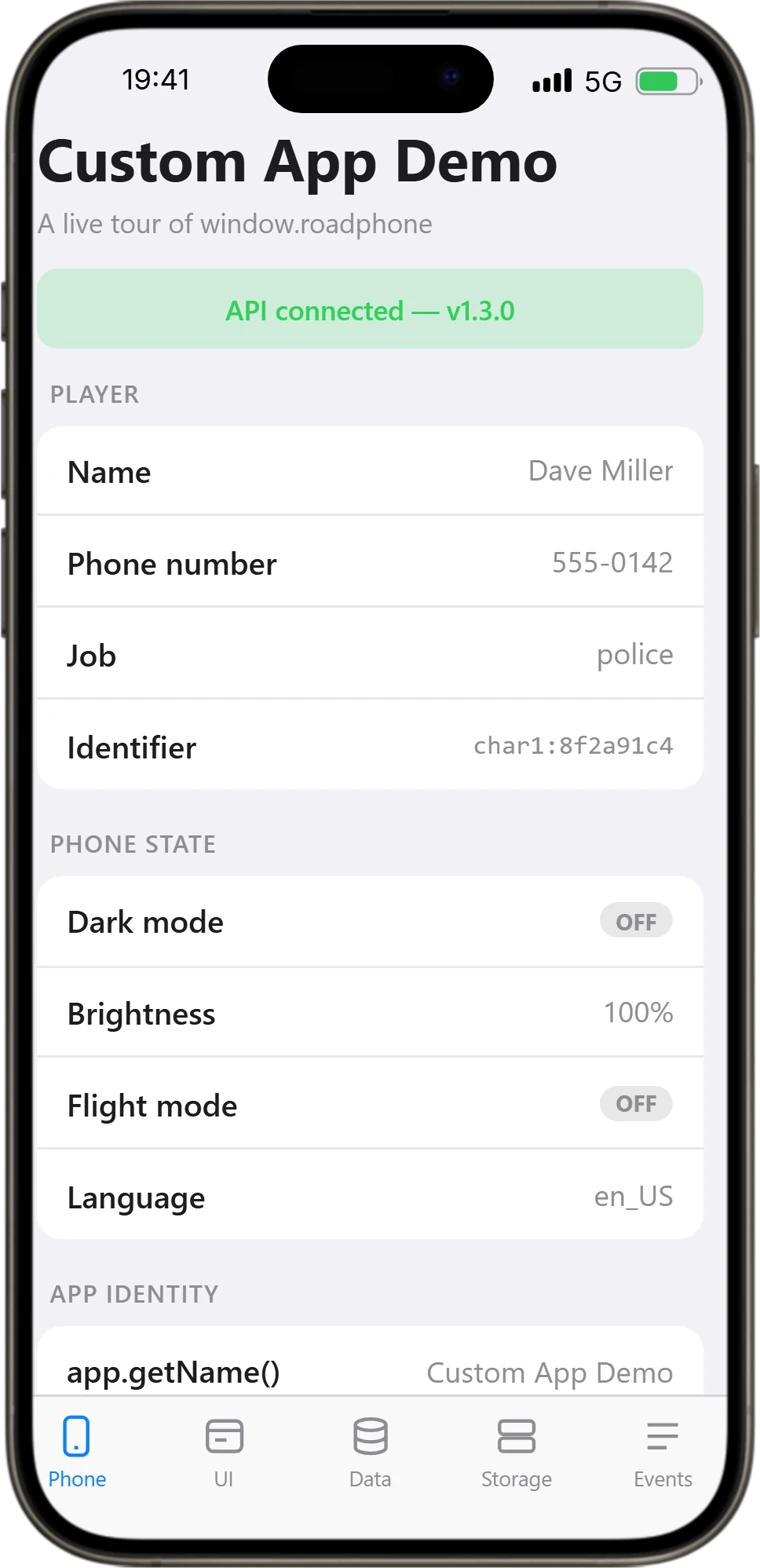
  • The Custom App Demo on RoadPhone-Pro reading player and phone state through the API

    API tour · MIT

    Custom App Demo

    Ships beside RoadPhone. Every tab is a runnable piece of the API — getters, native UI, permission-gated data, storage and a live event log.

RoadVR2

  • RoadVR’s example app in its window, showing data from its own resource and from the headset

    Example app

    Example

    Reads street, health and armour through its own Lua, takes a speed pushed once a second, and shows what the headset tells it through the SDK.

  • The example Speed widget in a round recess, showing a speed pushed from its resource

    Example widget

    Speed

    A speedometer for the wall. It registers one kind and only sends while a piece of it is hanging somewhere.

Pricing

Custom apps come with the product.

Nothing extra to buy for them: custom apps are part of RoadPhone-Pro, and custom apps and widgets are part of RoadVR.

RoadPhone-Pro

Includes RoadPhone Fold

100€/ lifetime

Custom apps on the phone, with every other Pro feature.

  • As many custom apps as you add to config.json
  • The window.roadphone API, v1.3.0
  • App Shop listings and job gating
  • RoadPhone Fold at no additional cost
Buy RoadPhone-Pro

RoadVR

40 €

Custom apps and wall widgets in the headset.

  • Apps and widget kinds from your own resources
  • The RoadVr SDK and the Lua exports
  • Example app, example widget and the Media app to start from
  • ESX, QBCore, Qbox and standalone
Get RoadVR

Prices exclude VAT.

FAQ

Frequently asked questions

What server owners ask before they build their first app.

Build the app your server is missing.

Both platforms are documented end to end — registration, the whole API and the pitfalls — with example resources to start from.